Stop rebuilding dance class plans from scratch.
Turn scattered class notes, combinations, corrections, and music links into organized plans you can save, reuse, and teach from.
No account needed to try.
Already a member? Sign in →
The blank page trap is exhausting.
You have taught this class before. You should not have to start from zero again.
Strong combinations get forgotten. Music links get lost. Class notes end up scattered across notebooks, screenshots, texts, and Google Drive. Without a system, every season becomes another reset.
Dance Class Builder gives you one place to capture, organize, and reuse your class material. Start from what already worked, build a plan for today, and come back after class to make it stronger for next time.
With the right system, every class you teach can become something you build on next time.
Tired of rebuilding dance class plans every season? Get the free guide →
Not just a planner. A teaching library you build over time.
Your first plan does not have to be a one-time document. It can become part of a reusable teaching library: combinations, corrections, music links, class structure, and notes you can come back to next week, next season, or next year.
Why document your classes?
It is easy to lose the details that made a class work: the correction students finally understood, the music that fit the energy, the progression they needed, or the combination worth repeating.
When your classes are documented, you are not starting from memory every week. You can build from class to class, adjust what already worked, and leave more time for creativity and student progress.
Documenting class does not mean writing a perfect lesson plan. It means saving enough of what worked so you have something to build from next time.
Capture, organize, reuse, improve.
Dance Class Builder is built around the way dance teachers actually plan and teach. Start by getting your class material into one place, whether you are starting fresh or working from notes from a past class. Paste your notes, organize them into a class plan, and build something you can teach from, save, and reuse.
Capture
Save combinations, corrections, music ideas, and teaching notes before they disappear.
Organize
Structure your class by section so warm-up, barre, center, across the floor, combinations, or any other class format has a clear place.
Reuse
Open a saved plan, duplicate it, and start from material you have already taught instead of rebuilding from scratch.
Improve
Come back after class, refine what worked, and make the plan stronger for next time.
Have old notes? Start there.
Paste rough class notes, old combinations, or a lesson outline. Dance Class Builder helps turn them into organized sections you can edit, save, and teach from.
What goes into a dance class plan?
Each plan gives you a place for the details you usually carry in your head: class sections, combinations, teaching notes, music links, video references, level, style, duration, and focus.
You can write combinations the way you actually teach them. Add reminders for corrections, transitions, counts, or student-specific notes. Keep the plan practical enough to use in class, not so formal that it becomes another admin task.
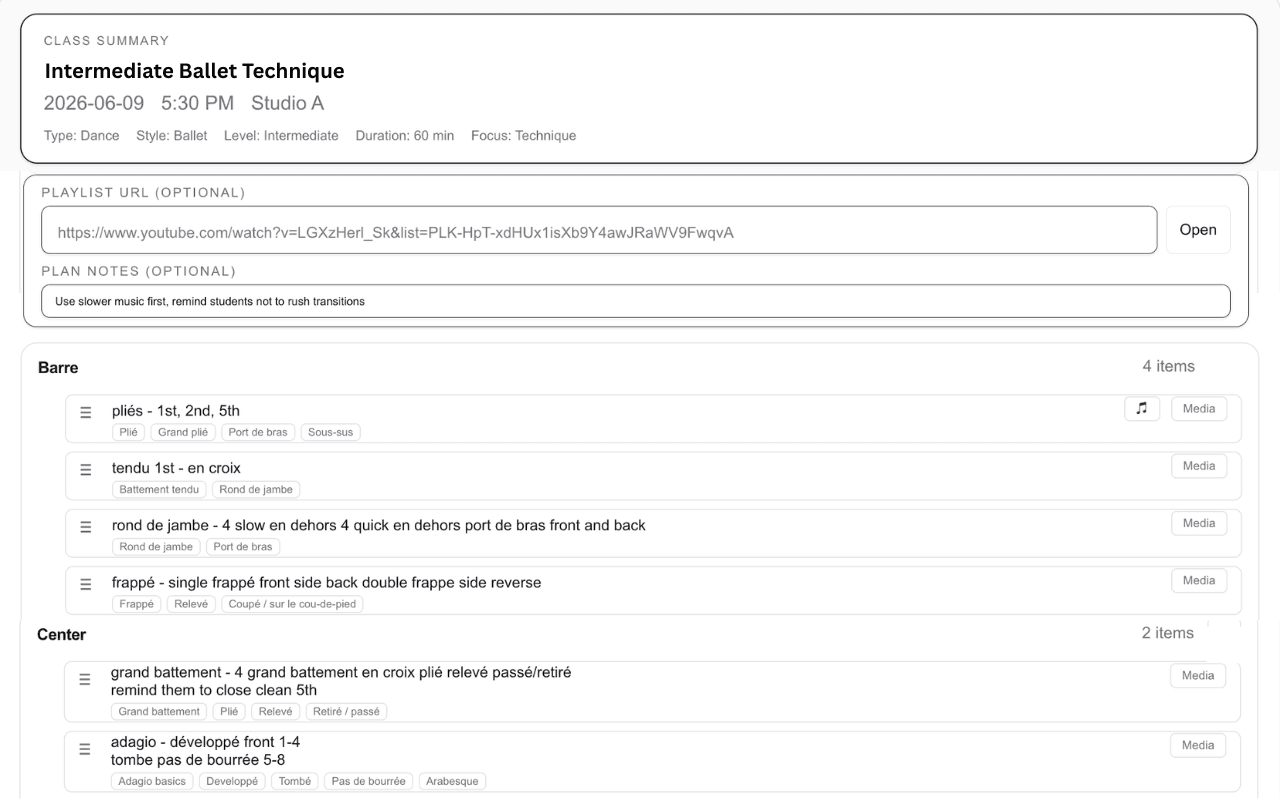
Build reusable class plans with sections, combinations, teaching notes, and music links in one place.
Plan on desktop. Teach from your phone.
Build or refine your plan when you have space to think. When class starts, open the teaching view on your phone and see the structure, notes, and links you need without digging through old documents or screenshots.
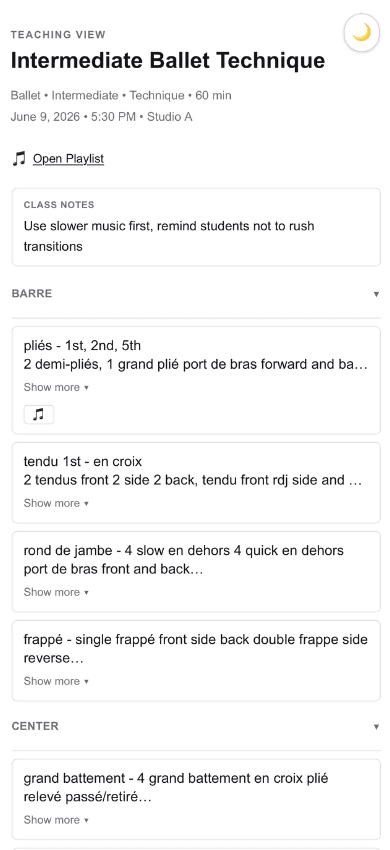
Teach from a clean mobile view with your class structure, notes, and playlist ready.
Built for teaching, not admin
Dance Class Builder is a planning and teaching tool, not studio management software. There is no scheduling, no enrollment, no student billing. It does one thing well: helps you plan your classes and use those plans when you teach. If you have been trying to make studio management tools work for class planning, this was built because those tools were not designed for it.
What teachers are saying
“I love it. It's very easy to use.”
“I'm trying it on my phone now and so far it's working really well.”
“I used the choreography section and the URL feature for specific exercises. That worked great.”
Pricing
Current launch pricing stays active while your subscription remains active.
- Save your class plans and access them from any device.
- Open your plan when class starts with your combinations, notes, and music links in one place.
- Come back after class and refine your plans over time.
- Duplicate plans to build on what you have already taught.
Questions? See the FAQ or email support@danceclassbuilder.thedanceindex.com
Ready to build your first class plan?
You can explore the planner without creating an account. Build a class plan and see how it works. Saving requires a membership, but you can try the planner first.
No account needed.